| >
Octapus-0 (1 swap) |
 |
 |
 |
Load
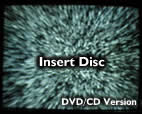
Swap Magic Disk
CD Version for cd-r
DVD Version for dvd-r |
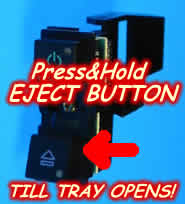
Press&Hold
Eject Button, till Tray Opens. |
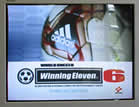
Insert
The backup
Press X button, and
Enjoy Your Game! |
| ALL
backups of DVD movies boot directly! |
| |
| >
Octapus-3 (1 swap/no-swap) |
|
|
|
Load
Swap Magic Disk
CD Version for cd-r
DVD Version for dvd-r |
Press&Hold
Eject Button, till Tray Opens. |
Insert
The backup
Press X button, and
Enjoy Your Game! |
| ALL
backups of DVD movies boot directly! |
| ALL
backups of P$1 games, boot directly! |
For
dvd-rip backups of P$2 games, press Eject Button normal,
and do the swap with the CD Version of Swap Magic Disks! |
| |
| >
Octapus-8 (no swap) |
|
| Insert
the P$1 game into the dvd-rom and Power On your console by pressing
the Reset Button till the Blue Light comes up. |
| ALL
P$2 CD-R backups boot directly! |
| ALL
P$2 DVD-R backups boot directly! |
| ALL
P$2 DVD9 backups boot directly! |
| ALL
P$2 DVD-Rip backups boot directly! |
| Insert
the dvd movie into the dvd-rom and Power On your console by pressing
the Reset Button till the Blue Light comes up. |
| >
Advertaisement: |

> Swap Magic Disks
The Perfect Boot Disks for Fast Booting!
Simply insert the proper boot disk and swap with the
backup you want to play!
Please Use:
- CD Version for CD-R, DVD-Rips
- DVD Version for DVD-R/W, DVD9 |
| End
of Advertaisement < |
 Products